
EHR
How to Reduce Pharmacy Callbacks: Refill and Change Requests Without the Phone Tag
Published November 17, 2026
To reduce pharmacy callbacks, find out what’s causing them, then fix each cause at the source: send complete prescriptions, set a refill protocol, keep the patient’s pharmacy up to date, and route electronic refill and change requests to one queue with a clear owner. Most callbacks come from a handful of predictable causes, so a few changes to how your practice prescribes and handles requests can remove most of them.
Why Pharmacy Callbacks Cost More Than They Look
A pharmacy call rarely takes long on its own. The cost is everything around it. The front desk answers, takes a message, finds out which provider wrote the prescription, and waits for that provider to come out of a room. If the answer has to go back by phone, the next round of phone tag starts.
Meanwhile the patient is waiting at the pharmacy counter, or calling your office to ask where their medication is. One unclear prescription can turn into three or four calls.
Where Pharmacy Callbacks Come From
Almost every callback falls into one of three groups:
- Refill requests. The patient is out of refills and asked the pharmacy to contact you.
- Change requests. The drug isn’t covered by the patient’s plan, needs prior authorization, or isn’t in stock, so the pharmacy needs you to approve something else.
- Clarifications. The prescription is missing information, is unclear, or went to the wrong pharmacy.
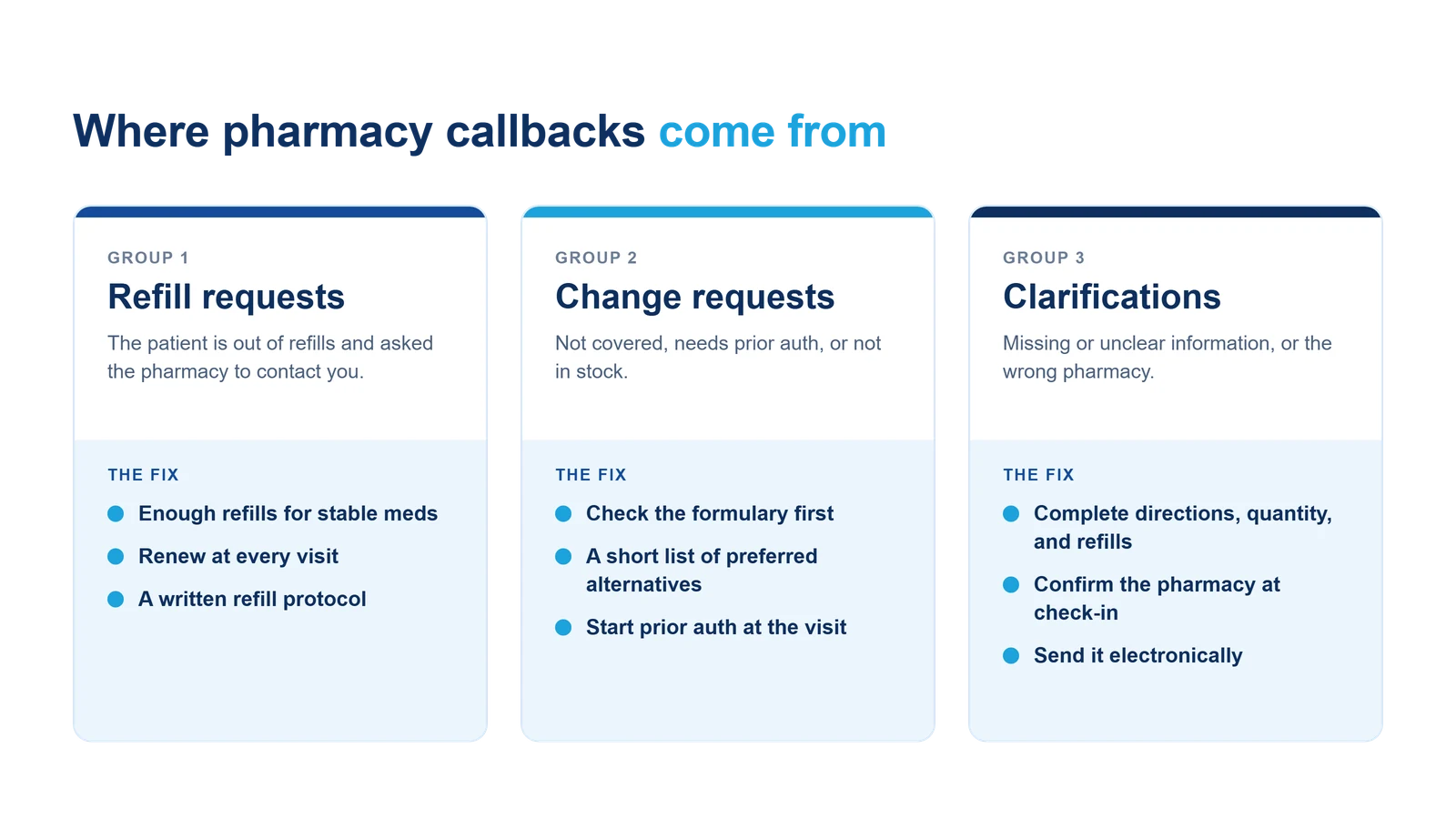
The steps below are grouped the same way.
Step 1: Track Your Callbacks for Two Weeks
Before you change anything, find out which group is your problem. For two weeks, have whoever answers pharmacy calls note the reason in a simple log: refill, change, or clarification, plus the provider and the medication.
Patterns show up fast. One provider may write 30-day supplies with no refills for long-term medications. One medication may keep hitting the same coverage problem. One pharmacy may keep getting prescriptions meant for another.
Step 2: Send Prescriptions the Pharmacy Can Fill as Written
Clarification calls are the easiest to prevent. Every prescription should include:
- Clear directions: dose, route, frequency, and duration in plain language
- Quantity and days’ supply that match the directions
- The number of refills, including zero when that’s intended
- Substitution instructions, if a specific brand or formulation is needed
Electronic prescribing removes handwriting problems and puts each of these in its own field, but it doesn’t fix directions that are incomplete. Spot-check a few prescriptions from your callback log and see what the pharmacist had to ask about.
Step 3: Set a Refill Protocol
Refill requests are the biggest group for most practices, and many can be handled before they start.
- Write enough refills for stable maintenance medications, within what’s clinically appropriate and allowed for the drug.
- Review medications at every visit, and renew what’s running low while the patient is in the room.
- Write a refill protocol your providers approve: which medications staff can prepare for renewal, what to check first (last visit date, recent labs), and what always goes to the provider. Staff prepare the request. The provider still signs it.
- Tell patients how refills work. Ask them to request refills through their pharmacy several business days before they run out, not the day they take the last dose.
Step 4: Confirm the Patient’s Pharmacy at Every Check-In
A prescription sent to a pharmacy the patient stopped using months ago becomes a call from the patient, and then a call to cancel and resend. Add “Which pharmacy do you use?” to check-in for every visit, and update it in the chart before the provider prescribes.
Step 5: Check Coverage Before You Prescribe
Many change requests happen because a drug isn’t on the patient’s plan formulary or needs prior authorization. You can’t catch every one, but you can cut the common ones:
- Keep a short list of the alternatives your providers prefer for the medications that come back most often in your log.
- Check the patient’s formulary when your system shows it, especially for new and expensive prescriptions.
- Start prior authorization at the visit for drugs you already know will need it, instead of waiting for the pharmacy to tell you.
Step 6: Route Every Request to One Queue With One Owner
When refill and change requests arrive by phone, fax, and electronically, some get handled twice and some get missed. Bring them into one place.
- Ask pharmacies to send requests electronically whenever your system can receive them, so they arrive with the prescription details attached instead of as a voicemail.
- Give the queue an owner for each provider, someone who preps each request and makes sure it gets answered.
- Set a turnaround target, such as by the end of the next business day, and tell patients what it is.
- Answer electronically, too. Approve, deny, or send a replacement from the same screen so the response doesn’t start another round of calls.
Step 7: Watch the Interruptions That Remain
Some calls are worth taking. A pharmacist who catches an interaction or allergy is doing exactly what they should. Running interaction and allergy checks while the prescription is being written, against the patient’s current medication list, catches more of those problems before the prescription is sent, so the pharmacist calls about them less often.
Repeat your two-week log after a couple of months. If one group is still high, go back to that step.
Where to Start
Start with the log. It costs nothing, and it tells you whether your callbacks are a refill problem, a coverage problem, or a clarity problem. Most practices find that a refill protocol and one well-run request queue do most of the work.
If you’re looking at e-prescribing software, ask how refill and change requests come back from the pharmacy, and who sees them. In a system where requests arrive as tasks inside the chart, a callback becomes a request in a queue instead of a provider being pulled out of a room. Here’s how e-prescribing works in Criterions, and our FAQ covers common questions about eRx and controlled substances.
Frequently asked questions
Why do pharmacies call the doctor's office so often?+
Most calls fall into three groups: refill requests for patients who are out of refills, change requests when a drug isn't covered or isn't in stock, and clarification calls when a prescription is missing information or is unclear. Each group has its own fix.
How can a practice reduce prescription refill calls?+
Write enough refills for stable maintenance medications, review refills at every visit, set a written refill protocol so staff can prepare routine requests for the provider, and ask patients to request refills through their pharmacy several business days before they run out.
What is a pharmacy change request?+
A change request is a pharmacy asking the prescriber to approve a different prescription, usually because the drug isn't covered by the patient's plan, needs prior authorization, or isn't available. With e-prescribing, change requests can arrive electronically so the provider can approve, replace, or deny them without a phone call.
Does e-prescribing reduce pharmacy callbacks?+
It helps. Electronic prescriptions remove handwriting problems and arrive with structured fields, and refill and change requests can come back electronically instead of by phone or fax. It works best alongside complete prescriptions, a refill protocol, and one queue with a clear owner.
Related articles
EHR
AI Medical Documentation: What Practice Managers Need to Know
AI documentation tools listen during the visit and draft the clinical note automatically. Here's what that actually changes, and what practice managers should evaluate before adopting one.
Published September 23, 2026
EHR
Top Benefits of Patient Portals for Medical Practices
Patient portals have become essential tools in modern healthcare — streamlining communication, improving access to care, and reducing administrative burden. Here's what a good one actually does.
Updated October 9, 2026
EHR
EHR Transition Checklist: How to Switch Systems Without Disrupting Your Practice
Switching EHR systems is manageable with the right plan. Here's a practical, phase-by-phase checklist based on the most common failure points in healthcare IT transitions.
Published August 18, 2026
Turn pharmacy calls into tasks in a queue
In Criterions, e-prescribing is powered by NewCrop and runs inside the chart. Interaction and allergy checks run as the prescription is written, pharmacy refill and change requests arrive as tasks instead of phone calls, and Rx Fill Notification tells the provider when a patient has filled a prescription.
It's available with Criterions EHR, Practice Management, or both. We'll walk you through it using your own prescribing workflow.