
Feature
Patient appointment reminder software, tied to your actual schedule
Automated text, email, and voice patient reminders tied to your EHR schedule — patients confirm, cancel, or reschedule by reply and the slot updates.
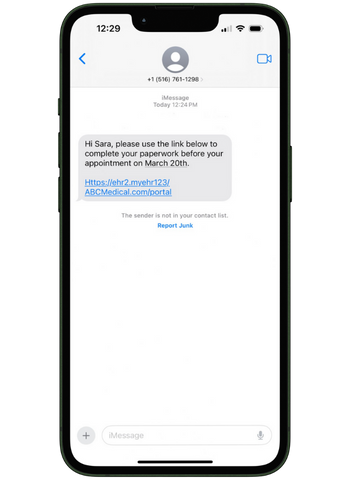
Fewer no-shows, fewer empty slots
Text, email, and voice reminders on the cadence you set — patients actually respond to a text.
Cancellations open the slot automatically
A reply updates the live schedule, so your front desk sees the opening instead of finding out at 9:05.
No second system to keep in sync
Reminders read the live EHR schedule directly, so a moved or cancelled visit never triggers a stale reminder.
Most appointment reminder tools are a separate product that reads a copy of your schedule and sends messages from the side.
Criterions' patient reminders are part of the schedule itself — so when a patient texts back to cancel, the slot actually opens, and when they confirm, your front desk sees it on the same screen they were already looking at. No reconciliation, no second system, no reminders going out for an appointment that moved yesterday.
Multi-Channel Delivery
Text, email, and voice reminders your patients actually respond to
Reminders go out by text, email, or voice call, on the timing you set, and patients can confirm, cancel, or ask to reschedule by replying — without downloading anything, creating an account, or calling the office back.
Text is where the response rate lives. A patient who will never listen to a voicemail will reply to a text in under a minute, and that reply is the difference between a slot you can refill and a no-show you find out about at 9:05.

Live-Schedule Sync
Why a reminder built into the EHR behaves differently
A standalone reminder service knows what your schedule looked like when it last synced. That's fine until something changes — a provider calls out, a slot gets moved, a patient reschedules through the portal — and then it's sending confident messages about appointments that no longer exist, and your front desk is the one apologizing for it.
Criterions reminders read the live schedule, and patient replies write back to it. That's the whole mechanism, and it's the reason practices that have used both describe them as different categories of product rather than different vendors of the same one.
Patient reminders are available with Criterions EHR and with Practice Management, and like every other module they're licensed as part of what you actually use. You are not buying a reminder platform, and you are not buying a bundle to get one.
Frequently asked questions
Can patients cancel or reschedule by replying to a reminder?+
Yes. Patients can confirm, cancel, or request a reschedule by replying to the reminder, and because reminders run off the live EHR schedule, that reply updates the actual appointment rather than landing in a separate inbox someone has to work through.
Do reminders go out by text, email, or phone?+
All three. You set which channels a practice uses and the timing of each, and patients can receive more than one type.
Do I need Criterions EHR to use appointment reminders?+
No. Reminders are available with Criterions EHR and with Criterions Practice Management, so a practice or billing company running only the scheduling and billing side can use them without a clinical chart.
A no-show costs more than the visit
It's the slot you couldn't refill, the provider hour you paid for anyway, and the follow-up that gets pushed out three weeks — and for most independent practices that adds up to real money across a year without ever appearing as a line item anybody reviews.
The specific fix is reminders that run off the live schedule with replies that write back to it, so a cancellation becomes an opening your front desk can actually fill instead of a message someone has to go re-enter. It's available with either core product, licensed as part of what you already use rather than as a separate platform.
Over 660 practices and billing companies run on Criterions. If you want to see what this looks like against your own no-show rate, that's the most useful thing to bring to a demo.